D2R Mobile Install Guide: With a Mac in 3 Steps, or Without a Mac
Quick Answer
- Two routes
- Apple-silicon Mac: build from source in 3 steps. No Mac: prebuilt shell + packaging tool + sideload.
- You must own
- The Switch release of D2R with the Reign of the Warlock expansion, updated to 1.0.34.0. The project ships no game content.
- First launch
- No-Mac builds compile shaders for about 7 minutes on first launch (once, with a progress bar). Xcode builds skip it.
What You Need Before Anything
Three prerequisites, and none of them are optional:
The Game You Own
- Running without the expansion is not supported and not verified
- Files are extracted from your own console — nothing is downloaded (see preparing your game files)
A Supported Device
- A14 / M1 or later — the graphics layer needs Metal 3
- Older flagships work with a Legacy Device Pack
Choose Your Route
Route A · With a Mac
- Apple-silicon Mac with Xcode
- Build from source in three steps
- No 7-minute shader compile on first launch
Route B · Without a Mac
- Windows (verified) or Linux (unverified)
- Sideloadly / AltStore signing — listed as not yet verified by the project
- First launch compiles shaders ≈ 7 min (once)
Route A, Step by Step
Place Your Game Files in the Workspace
Default workspace is ~/dm-work (override with DM_ROOT):
~/dm-work/data/switch/3.3.94012/Update/ExeFS/    main, sdk, subsdk0
~/dm-work/data/switch/3.3.94012/Update/RomFS/    data/…
If your game is a whole .xci/.nsp package: ./setup.sh <package> <prod.keys> extracts the files for you (install hactool first).
Prepare the Workspace
This checks your tools, rewrites the game program, and translates the game's shaders to Metal. First run takes a while; later runs skip finished work:
./setup.sh
source ~/dm-work/build/cache/dm/venv/bin/activate
./setup.sh check is a read-only health check — it tells you what's missing and which command to run next. Run ./setup.sh again after every update to a new commit.
Fill In Signing Details and Build
cp dm/ios/local.env.example dm/ios/local.env   # set DM_TEAM_ID and DM_BUNDLE_ID
cd dm/ios && ./run.sh build
With a free Apple ID also set DM_FREE_ACCOUNT=1 and DM_IOS_UDID, and keep the phone connected while building. The first launch then asks for the "game resource folder" — the 18 resource archives from your game files (exact layout in the project's GAME_FILES.md).
Route B, Step by Step
Download the Shell and Package Your Game
Grab D2RMobile-shell-build-input.zip (or the iOS 18–25 variant) from the project's Releases page. The shell contains no game content — it is build input, not an installable app. Add your own game files and make the install package with the packaging tool on Windows or Linux.
Sign and Sideload
Sign the package with a sideloading tool such as Sideloadly or AltStore. The project marks this step "not verified" — community reports are welcome. Expect the one-time ≈7-minute shader compile on first launch, with a progress bar.
What Success Looks Like
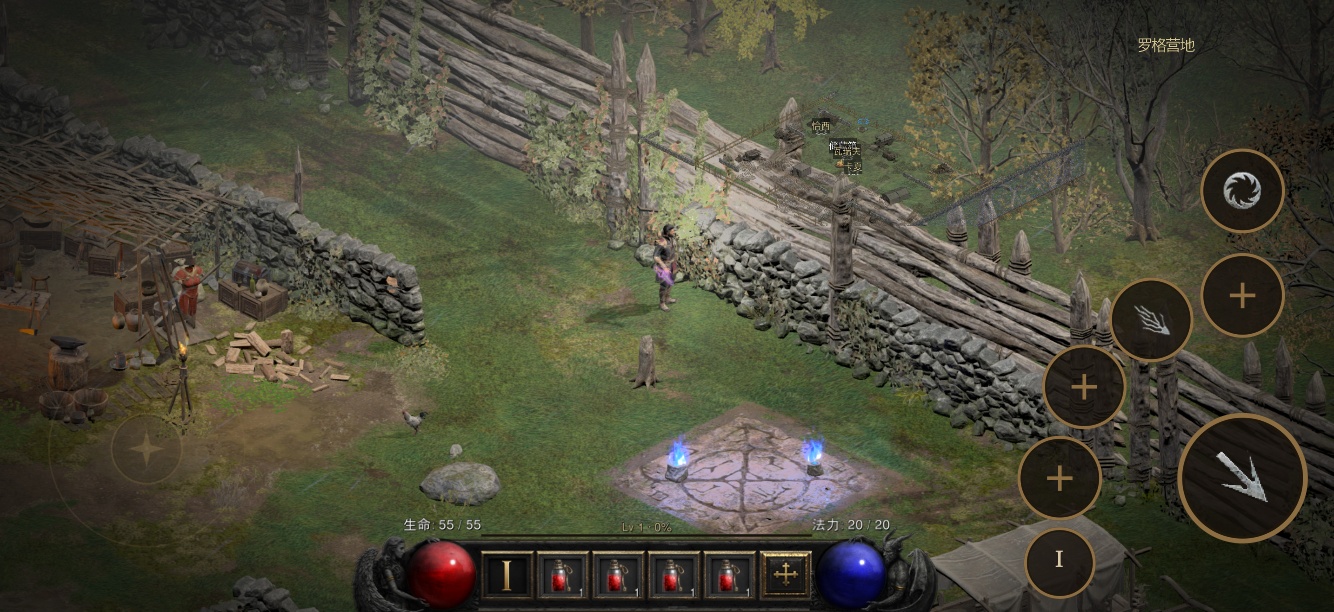
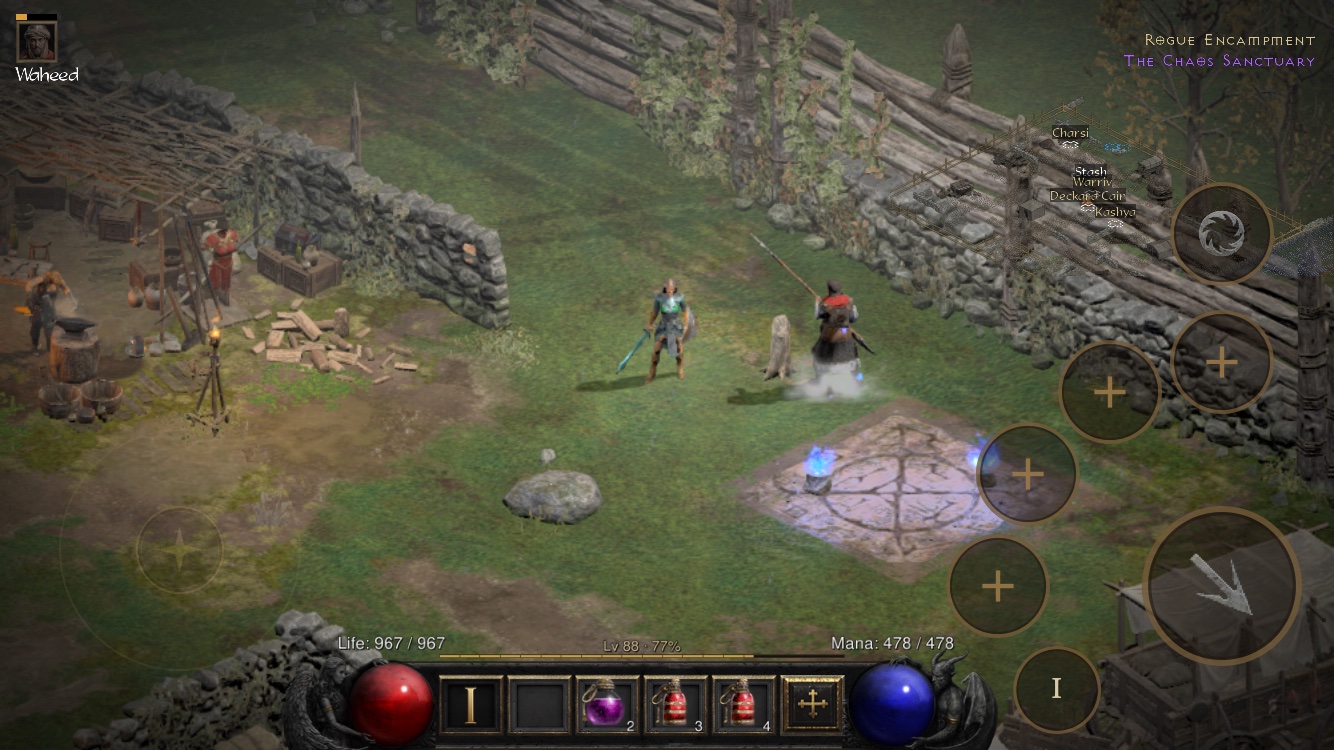
Once installed, the first thing you should see is a game rebuilt for fingers — not a shrunken console UI:
Signing: Free Apple ID vs Paid Developer Account
| Apple account | Cost | What you get |
|---|---|---|
| Free Apple ID | $0 | Re-sign and reinstall every 7 days; no iCloud save sync; no in-app resource downloads or update notices |
| Paid developer account | ~$99/yr | Everything works, including iCloud save sync across devices |
The game and all added features are identical either way. Saves are written immediately whenever you switch apps, swipe the app away, or quit.
The Two Most Common Errors, Decoded
Missing Legacy Device Pack
Your phone can run the game — the package was just built without the Legacy Device Pack (required on A16-and-earlier chips). Make the pack from your own game files, rebuild with it included, reinstall. See the devices page.
Outdated App Version
This dialog text is from before v1.0.9. Update the app to the latest release; on A16-and-earlier devices, then make the Legacy Device Pack as above.
Install FAQ
Do I need to jailbreak my iPhone?
No. The app is sideloaded — self-signed with your own Apple ID or developer account — and runs within normal iOS app rules. No jailbreak, no App Store.
Where do the 5.6 GB of game resources go?
On the phone, placed separately from the ~100 MB app package. Updating the app touches neither your saves nor the resources.
Can I install it on Android?
Not yet. The author notes the route is technically open and would welcome a port, but none exists as of the version this guide covers.
I updated to a new release — what now?
Mac route: run ./setup.sh again after every update; it rebuilds only what changed. Shell route: make the install package again with the new shell.
Source: d2r-mobile project README and docs (GAME_FILES.md, NO_XCODE.md), accessed 2026-10-15. Steps verified against the current release at time of writing; always re-check the project's own documentation for newer versions.